Why Not Use Repeater Control?
One easy solution would be to use the Repeater control to display the radio buttons with the images. This will be the preferred approach unless you want to reuse the radio button list with images on many different pages. For the sake of this article we will assume that you are interested in using the custom image radio button list control on multiple pages of your web application.
Understanding the RadioButtonList Control:
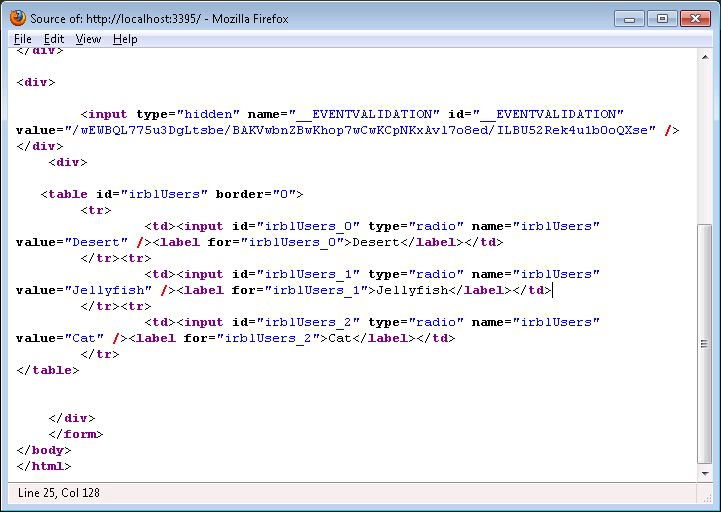
In order to implement a custom image radio button list control we must first understand how the RadioButtonList control is rendered. Below you can see the screenshot of the rendered HTML of the RadioButtonList control.

As, you can see the RadioButtonList control is rendered as multiple controls. It consist of an HTML table, radio button and a label control. By looking at the generated HTML it is clear that we need to add an image control to the equation. In the next section we are going to start implementing the ImageRadioButtonList control.
Implementing ImageRadioButtonList Control:
The first step in implementing an ImageRadioButtonList control is to display the image tag alongside other controls of the RadioButtonList. Since, most of the functionality of the ImageRadioButtonList control will be identifical to the RadioButtonList control we will inherit from the RadioButtonList control and override and add few methods.
Before adding or overriding any methods we need to expose a new property which will hold the image URL information. We will call this property "DataImageUrl" and it will be a simple string property. Next, we will add an Image control to our ImageRadioButtonList. Take a look at the code below:
public class ImageRadioButtonList : RadioButtonList
{
private Image _image = null;
private List<String> _imageUrls = new List<string>();
public string DataImageUrl { get; set; }
protected override void CreateChildControls()
{
base.CreateChildControls();
// create the _image control
_image = new Image();
}
protected override void RenderItem(ListItemType itemType, int repeatIndex, RepeatInfo repeatInfo, System.Web.UI.HtmlTextWriter writer)
{
base.RenderItem(itemType, repeatIndex, repeatInfo, writer);
_image.RenderControl(writer);
}
}
Inside the CreateChildControls method we are creating our Image control. The Image control is rendered inside the RenderItem method. Let's try to use this control on our page and see the result.
Before using the control we need to register the assembly on our page. Since, the control is created in the same assembly you can use the following code:
<%@ Register Assembly="WebApplication1" TagPrefix="ww" Namespace="WebApplication1" %>
<ww:ImageRadioButtonList ID="irblUsers" runat="server">
</ww:ImageRadioButtonList>
We also have populated the control with data using the following code:
var users = new List<User>()
{
new User() {Name = "Desert", ImageUrl = "~/Images/Desert.jpg"},
new User() {Name = "Jellyfish", ImageUrl = "~/Images/Jellyfish.jpg"},
new User() { Name="Cat"}
};
irblUsers.DataSource = users;
irblUsers.DataTextField = "Name";
irblUsers.DataValueField = "Name";
irblUsers.DataImageUrl = "ImageUrl";
irblUsers.DataBind();
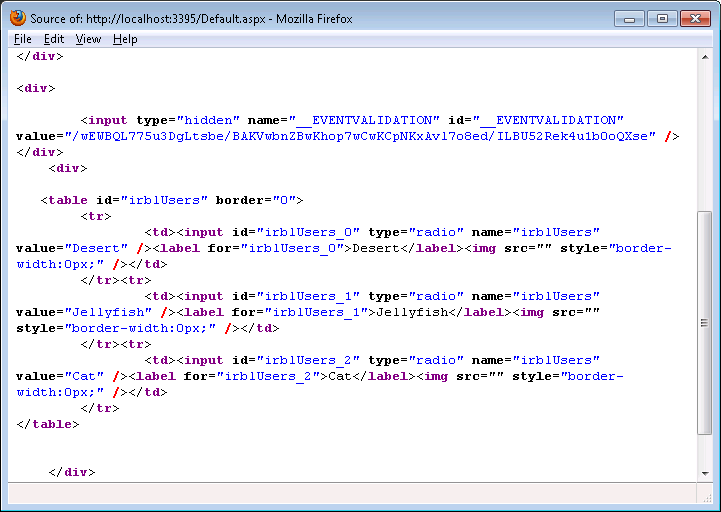
The HTML generated by the above control is shown below:

The screenshot clearly shows that the image control was successfully rendered as part of the ImageRadioButtonList control. Now, all we need to do is to assign the property mentioned in the "DataImageUrl" to the "ImageUrl" property of the image control.
protected override void CreateChildControls()
{
base.CreateChildControls();
// create the _image control
_image = new Image();
PopulateImageUrlsUsingIEnumerableList(this.DataSource as IEnumerable);
}
The PopulateImageUrlsUsingIEnumerableList method is responsible for populating the images inside the ImageRadioButtonList with the list.
private void PopulateImageUrlsUsingIEnumerableList(IEnumerable list)
{
var imageUrl = String.Empty;
PropertyInfo imageProperty = null;
foreach(var item in list)
{
imageProperty = item.GetType().GetProperty(DataImageUrl);
if(imageProperty == null)
throw new ArgumentNullException("DataImageUrl is invalid!");
imageUrl = imageProperty.GetValue(item, null) as String;
_imageUrls.Add(imageUrl ?? String.Empty);
}
}
The _imageUrls is a simple List<String> which holds the URLs of the images. The PopulateImageUrlsUsingIEnumerableList is called from inside the CreateChildControls so that we don't have to populate the URLs again and again.
Finally, the RenderItem method is where the image is rendered to the HtmlTextWriter. The repeatIndex value will fetch the correct image from the _imageUrls list and assign to the _image.ImageUrl property.
protected override void RenderItem(ListItemType itemType, int repeatIndex, RepeatInfo repeatInfo, System.Web.UI.HtmlTextWriter writer)
{
base.RenderItem(itemType, repeatIndex, repeatInfo, writer);
_image.ImageUrl = _imageUrls[repeatIndex];
_image.RenderControl(writer);
}
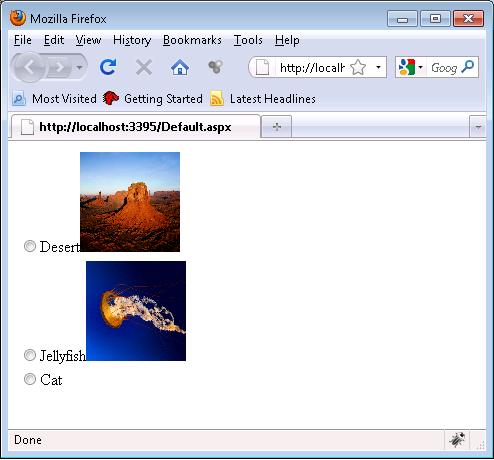
The ImageRadioButtonList is now ready for use. If you run the application again you will notice that the images are now displayed as shown below:

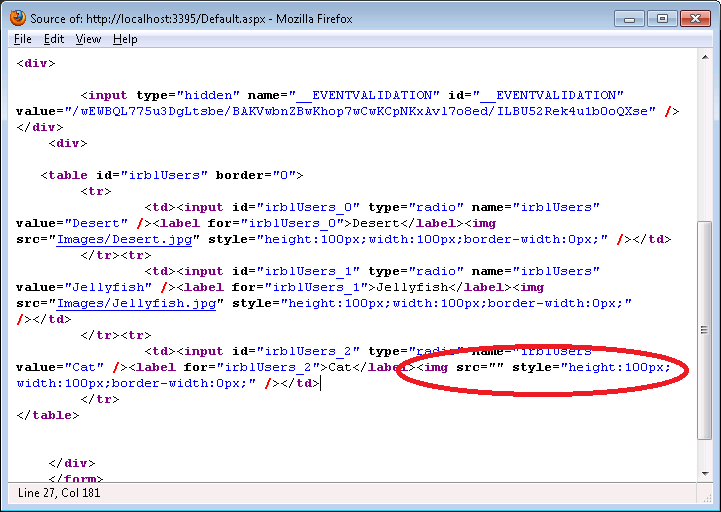
All seems good and dandy until you view the source of the page.

As, you can see that the last item "Cat" does not have any image but it still rendered the image tag. This is clearly waste of bytes and not acceptable. Let tweak our code so that we don't render the images where the imageUrl is not present.
protected override void RenderItem(ListItemType itemType, int repeatIndex, RepeatInfo repeatInfo, System.Web.UI.HtmlTextWriter writer)
{
base.RenderItem(itemType, repeatIndex, repeatInfo, writer);
_image.ImageUrl = _imageUrls[repeatIndex];
_image.Width = new Unit(100);
_image.Height = new Unit(100);
if (!String.IsNullOrEmpty(_image.ImageUrl))
{
_image.RenderControl(writer);
}
}
With the above tweak the image control is only displayed if it is associated with an image.
What About DataSets?
The code above only works correctly if your collection is a generic list. If you are using DataSets or DataTable then it will fail. In order to fix this and support DataSets and DataTables we have added a new method "PopulateImageUrls" method as shown in the code below:
private void PopulateImageUrls()
{
if (DataSource != null)
{
var source = (this.DataSource as IListSource);
if (source != null)
{
var ds = source as DataSet;
var dt = source as DataTable;
if (ds != null)
{
if (ds.Tables != null)
{
if (ds.Tables.Count > 0)
{
PopulateImageUrlsUsingDataTable(ds.Tables[0]);
}
}
}
else if (dt != null)
{
PopulateImageUrlsUsingDataTable(dt);
}
return;
}
var list = DataSource as IEnumerable;
if (list != null)
{
PopulateImageUrlsUsingIEnumerableList(list);
}
}
}
The implementation for the PopulateImageUrlsUsingDataTable is available in the download.
Conclusion:
In this article we learned how to create an ImageRadioButtonList control. In normal scenarios you can get away by customizing a normal Repeater control but in certain conditions you can benefit from using this new control.
[Download Sample]